CNC Milling Machine
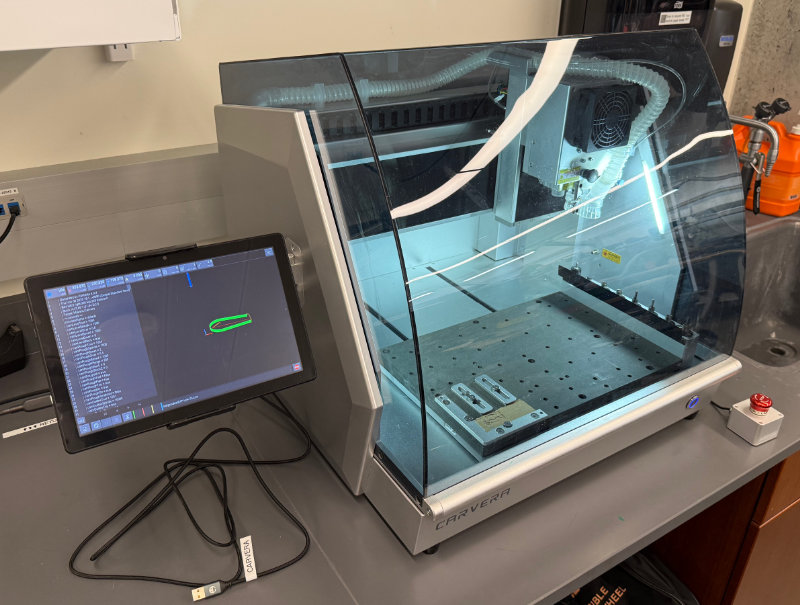
The CRB Makerspace Shop has a Carvera CNC milling machine. You must complete machine-specific training before being authorized to use this machine. Do not cut steel on this machine.
Hazard level
ORANGE
Warning
- High-speed cutting tool contact can cause injury if enclosure is opened during operation
- Flying chips and metal fragments when opening enclosure
- Risk of unexpected machine movement from programming errors
- Pinch points from moving axes
- Hot cutting tools and workpiece after operation
Safety
- DO NOT open enclosure while machine is running
- NEVER reach into machine during operation
Getting started
Check out the tutorial videos provided by Makera at https://wiki.makera.com/en/carvera/How-To
Instructions for use
- Create the CAM paths with Makera CAM or Autodesk Fusion.
- Download profiles for the CAM software here: https://wiki.makera.com/en/software
Warning
Onshape Miro doesn't have right feeds and speeds. Verify the speeds
- Connect with the Carvera Controller app.
- Check your stock height and make sure there is MDF underneath
- Double check your settings with the feeds and speeds table for your bit.
- Make sure you are using the right tool for your material.
- Make sure the cutting speed is correct.
- Make sure the tool is in the right tool position for your CAM program.
Tip: Add one inch to tool length to air cut first.
Manual